> ## Documentation Index
> Fetch the complete documentation index at: https://developers.calendbook.com/llms.txt
> Use this file to discover all available pages before exploring further.
# Calendbook Entities
> Core entities in the Calendbook API
Calendbook exposes three core entities that define how scheduling works.\
Understanding these concepts will help you navigate the API effectively.
***
## Event
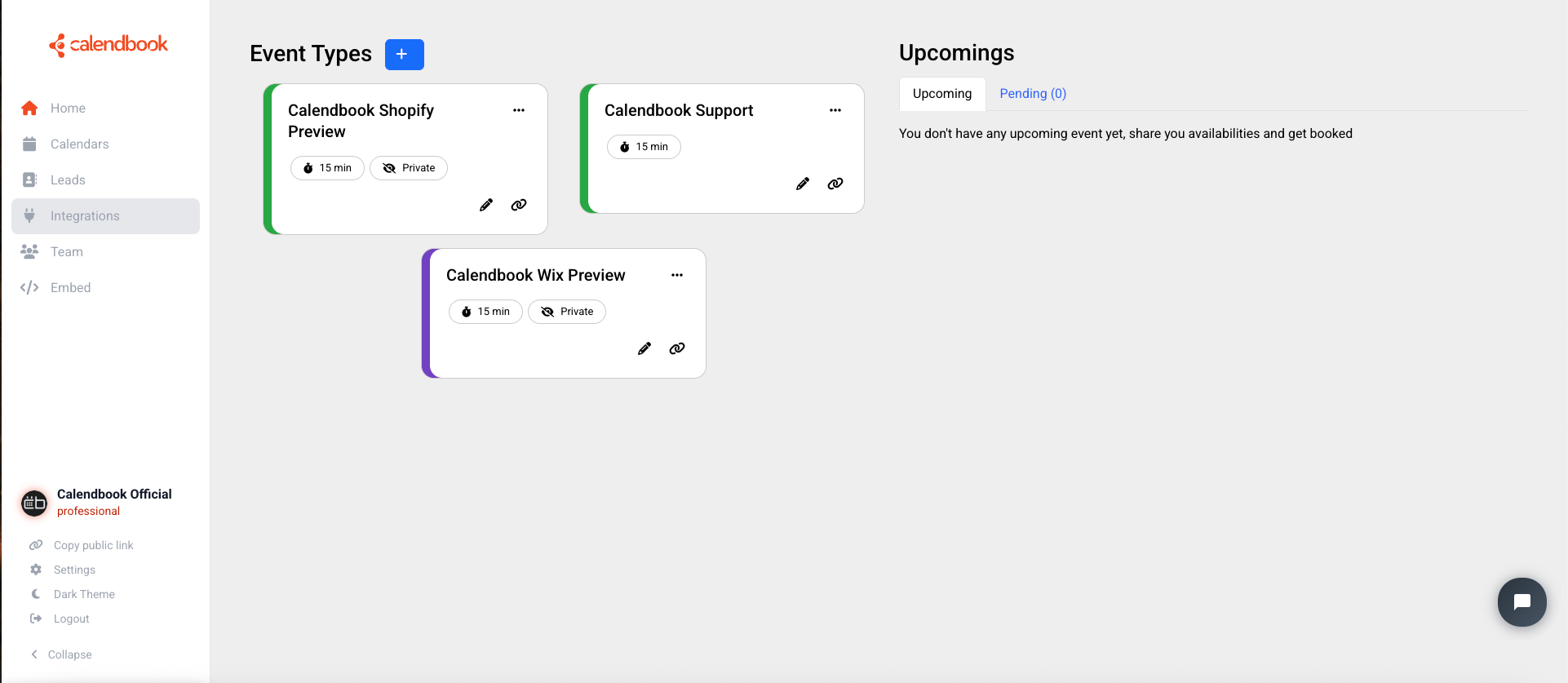
An **Event** defines a type of meeting that can be booked.\
It includes properties such as:
* Title and description (e.g. “15 min chat”)
* Duration (in minutes)
* Location settings (custom location, video link, etc.)
* Buffers before and after the meeting
* Whether it is personal or team-based
Events are the building blocks that determine what kinds of meetings a user can offer.
 ***
## Event Availability
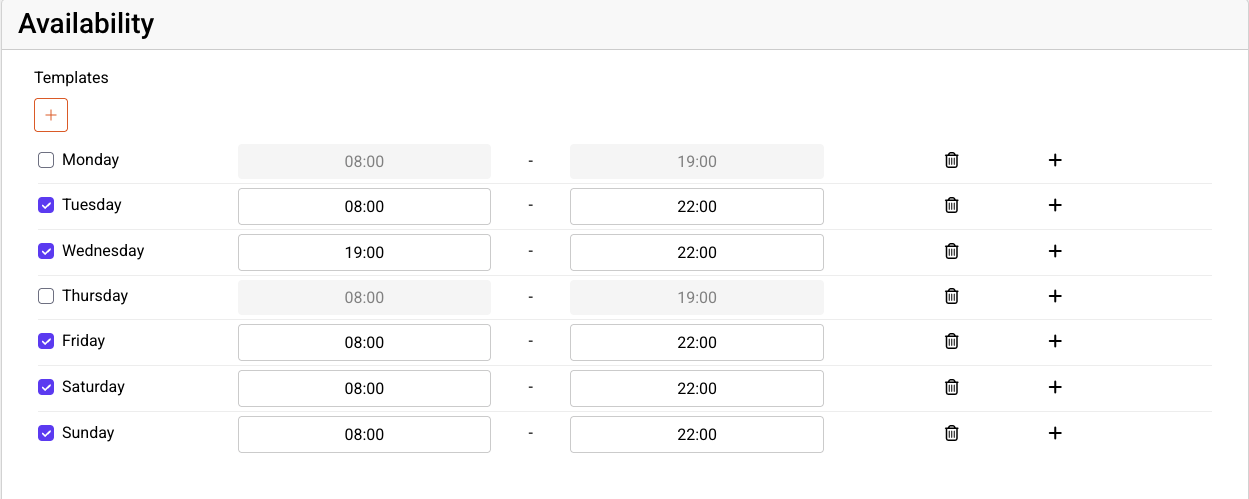
**Event Availability** defines the **time ranges when an event can be scheduled**.\
It is configured per event and can include:
* Weekly recurring availability (e.g. Mon–Fri 9:00–17:00)
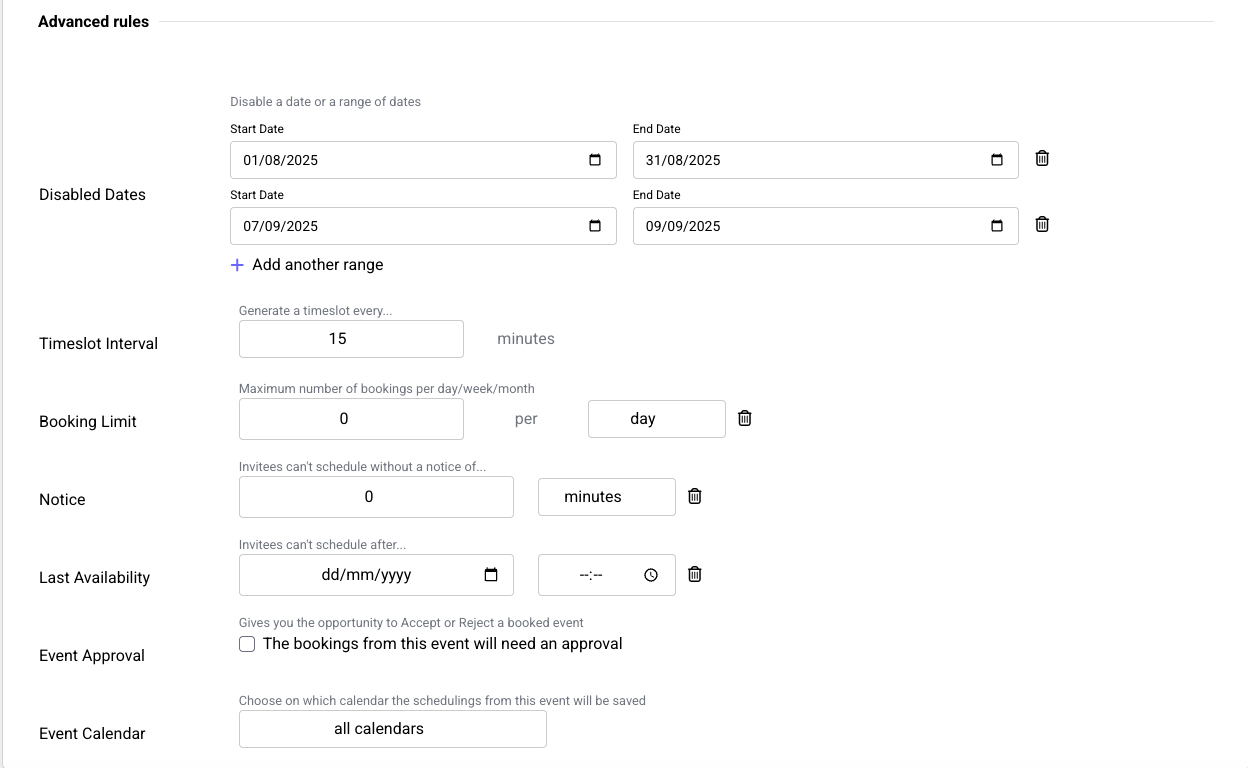
* Disabled dates or months
* First and last available booking dates
* Advanced rules for fine-tuning availability
This determines the *potential slots* that a guest will see when trying to schedule.
### Simple and recurrent availabilities
***
## Event Availability
**Event Availability** defines the **time ranges when an event can be scheduled**.\
It is configured per event and can include:
* Weekly recurring availability (e.g. Mon–Fri 9:00–17:00)
* Disabled dates or months
* First and last available booking dates
* Advanced rules for fine-tuning availability
This determines the *potential slots* that a guest will see when trying to schedule.
### Simple and recurrent availabilities
 ### Advanced availabilities
 ***
## Booking
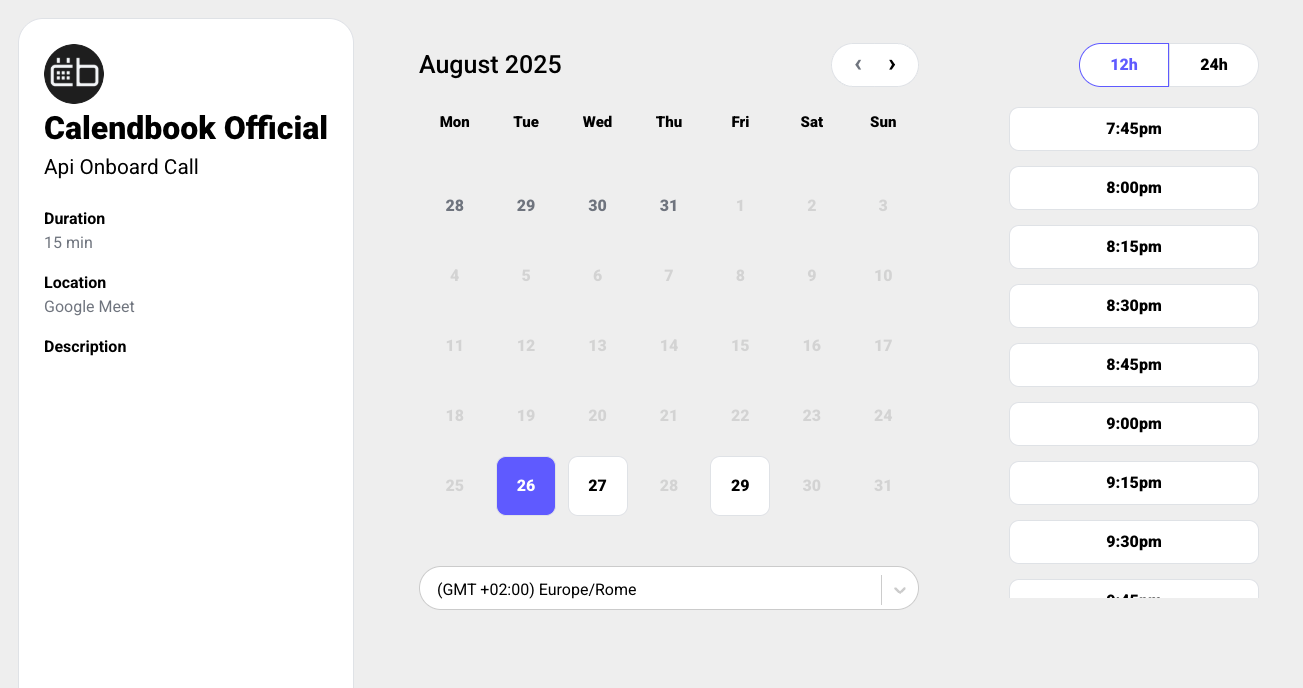
A **Booking** is created when a guest reserves a **specific time slot** for a specific event owned by a specific user.\
It contains details such as:
* The booked date and time
* The owner of the event
* The event type
* Guest information (name, email, timezone)
* Optional notes
Bookings transform an available slot into a confirmed meeting.
***
## Booking
A **Booking** is created when a guest reserves a **specific time slot** for a specific event owned by a specific user.\
It contains details such as:
* The booked date and time
* The owner of the event
* The event type
* Guest information (name, email, timezone)
* Optional notes
Bookings transform an available slot into a confirmed meeting.
 In short:\
**Event** → defines the type of meeting.\
**Availability** → defines when that meeting can happen.\
**Booking** → confirms a guest’s chosen time slot.
In short:\
**Event** → defines the type of meeting.\
**Availability** → defines when that meeting can happen.\
**Booking** → confirms a guest’s chosen time slot.